Is Google Maps on a WearOS Watch Useful?
Note: I also used Google Maps on a Garmin watch; you can check my experience in the article “Google Maps on Garmin: Useful or Useless?“
Google apps assumed to be an important benefit of WearOS. But when I upgraded my Galaxy Watch 3 to the Galaxy Watch 4 I found that I do not use them that much.
Moreover, my first interaction with Google Maps was… not navigation but disabling navigation for driving mode. By default, when I started car navigation on my phone, Google Maps on the watch was activated as well. Then it vibrated before every turn I should do. Great that one can disable this.
This was the only interaction I had with Google Maps on my watch during more than half of a year. Vacation in the mountains did not change that – I used Google Maps for driving (phone only) and Komoot + Samsung Health on the watch for hiking (this experience is described in the article “Galaxy Watch 4 + Komoot + Hiking: Battery Usage”).
Surprisingly, the things have changed during my recent business travel to Sweden. This travel was different from previous ones:
- I walked mostly in a city and mostly to find urban places there (not hiking).
- My walks were less prepared/preplanned than usual.
- It was rather cold outside
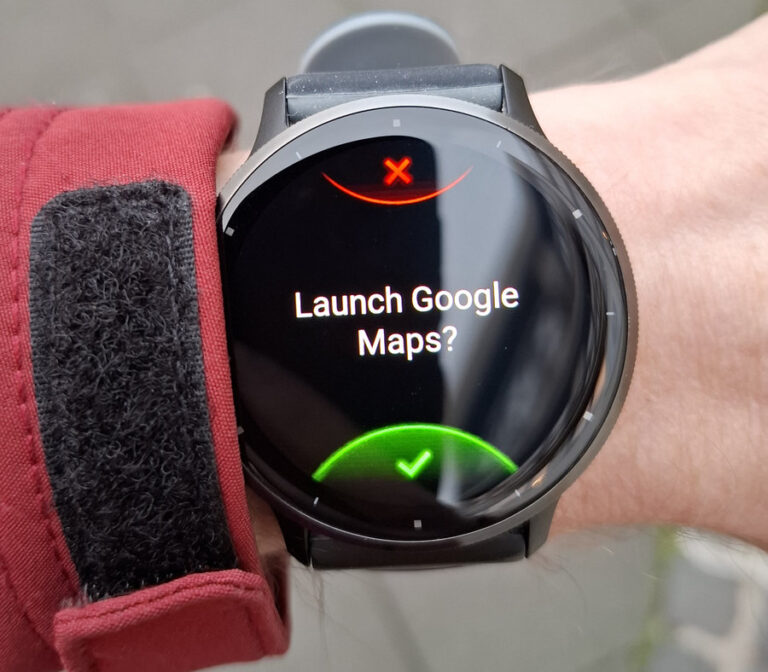
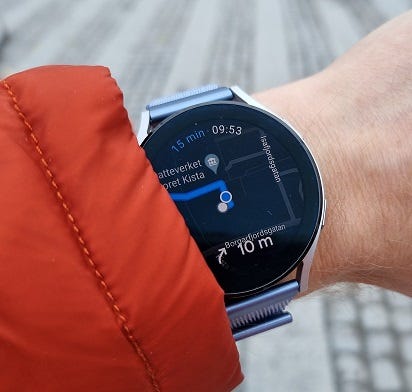
It looks like these factors made a difference – I used navigation on the watch for my walks from A to B every day during this travel. It really was faster and more comfortable than taking my phone out of my pocket or keeping it in my hands.
Meanwhile, selecting a target is still a phone task for me. When searching for a place to eat, I must filter results by rating, open hours, price range, and check the menu or meal photos to be sure that this is really a place I could enjoy.
I think this scenario will stay the main use case of Google Maps on my watch for me.
I heard that other people also use it for navigation in a rented car if this car has neither good navigation nor a good stand for a smartphone. But I have not first-hand experience here.